
学习 · · 429 字 · 约 1 分钟
Docker 部署 Nebula 图数据库
· 参考 https://docs.nebula-graph.com.cn/3.0.0,新版本不支持在Graph Studio中进行图探索。
Docker 部署 Nebula 图数据库
Nebula 环境依赖
- 主机上安装如下应用程序。
| 应用程序 | 推荐版本 | 官方安装参考 |
|---|---|---|
| Docker | 最新版本 | Install Docker Engine |
| Docker Compose | 最新版本 | Install Docker Compose |
| Git | 最新版本 | Download Git |
Nebula Graph Database 部署
- 通过 Git 克隆
nebula-docker-compose仓库的3.0.0分支到主机。
$ git clone -b v3.0.0 https://github.com/vesoft-inc/nebula-docker-compose.git- 切换至目录
nebula-docker-compose。
$ cd nebula-docker-compose/- 执行如下命令启动 Nebula Graph 服务。
[nebula-docker-compose]$ docker-compose up -dNebula Graph Studio 部署
- 下载 Studio 的部署配置文件。
| 安装包 | Nebula Graph 版本 |
|---|---|
| nebula-graph-studio-v3.2.2.tar.gz | 3.0.0 |
- 创建
nebula-graph-studio-v3.2.2目录,并将安装包解压至目录中。
mkdir nebula-graph-studio-v3.2.2 && tar -zxvf nebula-graph-studio-v3.2.2.tar.gz -C nebula-graph-studio-v3.2.2- 解压后进入
nebula-graph-studio-v3.2.2目录。
cd nebula-graph-studio-v3.2.2- 拉取 Studio 的 Docker 镜像。
docker-compose pull- 构建并启动 Studio 服务。其中,
-d表示在后台运行服务容器。
docker-compose up -d- 当屏幕返回以下信息时,表示 Docker 版 Studio 已经成功启动。
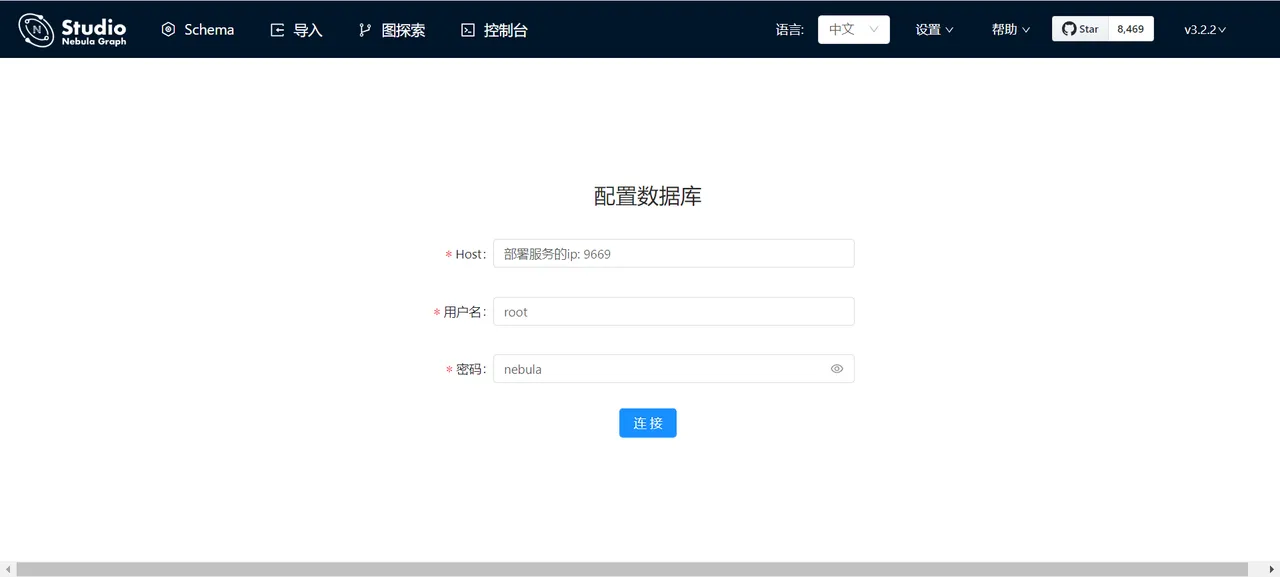
Creating docker_web_1 ... doneNebula Graph Studio 登录及使用
用户名:root
密码:nebula
Nebula Graph 接口调用
参考:https://docs.nebula-graph.com.cn/3.3.0/14.client/1.nebula-client/
python
import time
import json

from nebula3.gclient.net import ConnectionPool

from nebula3.Config import Config
from nebula3.common import *

if __name__ == '__main__':
    client = None
    try:
        config = Config()
        config.max_connection_pool_size = 2
        # init connection pool
        connection_pool = ConnectionPool()
        assert connection_pool.init([('192.168.72.136', 9669)], config)

        # get session from the pool
        client = connection_pool.get_session('root', 'nebula')
        assert client is not None

        # get the result in json format
        resp_json = client.execute_json("USE Li_carkg_demo;")
        json_obj = json.loads(resp_json)
        print(json.dumps(json_obj, indent=2, sort_keys=True))

        # client.execute(
        #     'CREATE SPACE IF NOT EXISTS test(vid_type=FIXED_STRING(30)); USE test;'
        #     'CREATE TAG IF NOT EXISTS person(name string, age int);'
        #     'CREATE EDGE like (likeness double);'
        # )

        # # insert data need to sleep after create schema
        # time.sleep(6)

        # # insert vertex
        # resp = client.execute(
        #     'INSERT VERTEX person(name, age) VALUES "Bob":("Bob", 10), "Lily":("Lily", 9)'
        # )
        # assert resp.is_succeeded(), resp.error_msg()

        # # insert edges
        # resp = client.execute('INSERT EDGE like(likeness) VALUES "Bob"->"Lily":(80.0);')
        # assert resp.is_succeeded(), resp.error_msg()

        # resp = client.execute('FETCH PROP ON person "Bob" YIELD vertex as node')
        # assert resp.is_succeeded(), resp.error_msg()
        # print_resp(resp)

        # resp = client.execute('FETCH PROP ON like "Bob"->"Lily" YIELD edge as e')
        # assert resp.is_succeeded(), resp.error_msg()
        # print_resp(resp)

        # # drop space
        # resp = client.execute('DROP SPACE test')
        # assert resp.is_succeeded(), resp.error_msg()

        # print("Example finished")

        resp = client.execute_json(r'MATCH (v1:DEVICE{name:"座椅"})-[e1:qa]->(v2:ANSWER) WHERE v1.DEVICE.position == "" RETURN e1.standard_question AS Standard, v1.DEVICE.position;')
        json_obj = json.loads(resp)
        pass
    except Exception as x:
        import traceback

        print(traceback.format_exc())
        if client is not None:
            client.release()
        exit(1)
C++(待补充)